Projector - TV Cast, HD Mirror
- 4.3
- Rating
- 5.00M
- Installs
- Free
- Price
 Analysis by App-foxy
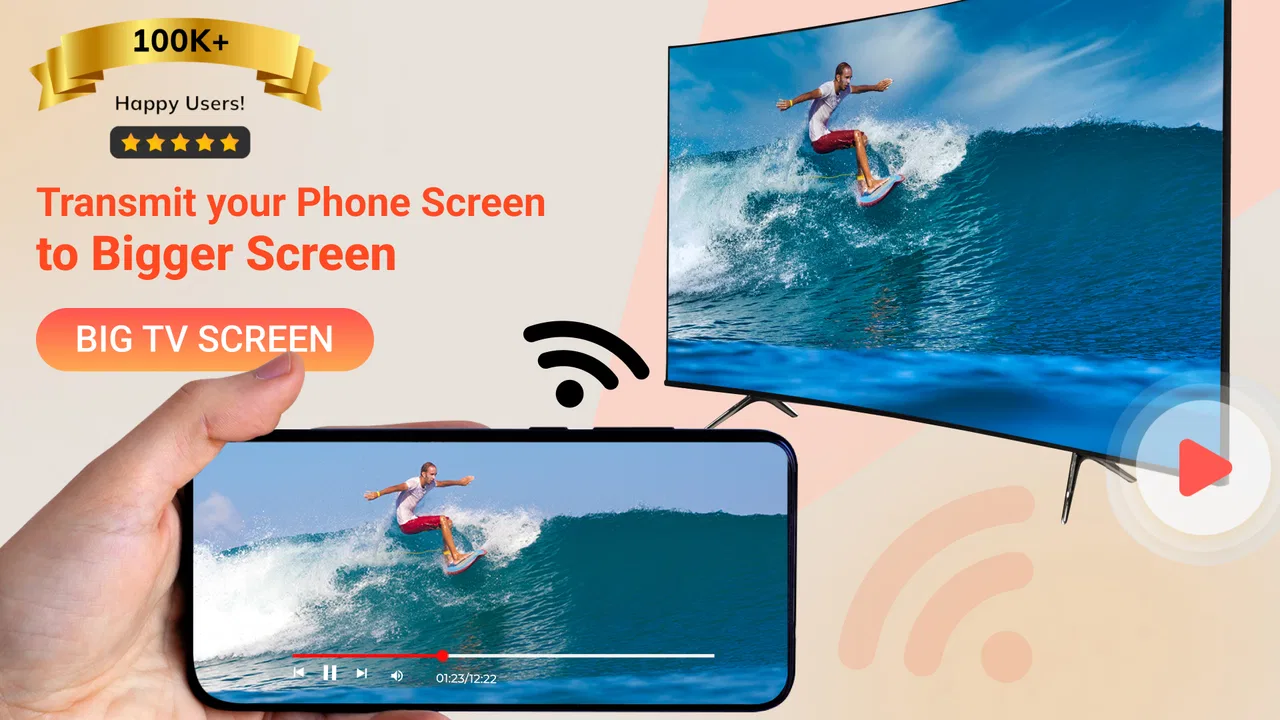
I found Projector - TV Cast, HD Mirror most useful as a practical screen-sharing helper rather than as a replacement for a real projector. Its purpose is straightforward: move what is on a phone display to a larger screen through casting or mirroring, with support for HD video mirroring and Chromecast-related use. In my experience, that makes it handy when I want to show a video, presentation, photo collection, or phone activity to other people without passing the handset around.
The important distinction is that the app does not turn a phone into a device that physically projects light onto a wall. It helps connect the phone with compatible receiving equipment, such as a television or Chromecast setup. That sounds obvious, but it changes who should install it. If you expect a pocket projector with no external display involved, this is not the right tool. If you already have a larger screen and want a simpler route from phone to television, the idea makes much more sense.
What the app does well in everyday use
One reason I can see this app appealing to a broad audience is its narrow, understandable job. The developer, One Music Player, presents it as a productivity app, but I would describe its usefulness as a bridge between personal phone content and shared viewing. The store summary focuses on screen casting, mirroring, HD video, and Chromecast call information, while the short description simply calls it “Projector.” Those labels are brief, yet they point to the central experience: choose a display, mirror or cast suitable content, and use the phone as the source.
You May Also Like

 Blood Strike: 2.5 Anniversary
Blood Strike’s Loadouts Turn Every Drop Into a Tactical Gamble
A close look at Blood Strike’s custom loadouts: how fast access to signature weapons reshapes its battle royale rhythm, rewards preparation, and narrows the gap between fights.

 Pandora - Music & Podcasts
Pandora’s Music Is Easy to Start, but Harder to Recover
Pandora’s strength is its low-effort path from a seed to a station. Its weak spot is how much confidence it asks you to place in connection, setup, and quiet recovery.

 8 Ball Pool
 Is Built on Rivalries, Rematches, and Routine
A close look at the rivalries, rematches, shared routines, and unanswered safety questions that turn a quick pool match into a persistent mobile community.

 Samsung Music
’s Quiet Strength Is Playing What You Already Own
Its reach comes less from spectacle than from dependable access to a personal library. That simplicity is both the app’s strongest retention engine and its ceiling.

 AccuWeather: Weather Radar
AccuWeather Review: A Quick, Clear Forecast for Everyday Decisions
For everyday plans, the best forecast is the one you can understand quickly. AccuWeather makes rain timing, radar, and local conditions easy to act on, with a few trade-offs.

 Hill Climb Racing
Why Hill Climb Racing Still Turns Crashes Into One More Run
A tiny car, a bumpy hill and one more upgrade: Hill Climb Racing keeps resurfacing because its simple chaos makes every near-miss feel personal.
More From Our News Desk



I would use it in a living room when a family member sends me a video that is worth showing everyone. Instead of gathering around a small screen, I can try sending the phone display to the television. The same workflow can help during a casual presentation, when I need to show a document or a few images but do not want to transfer files to another computer first. It is also useful for demonstrating a mobile app to someone sitting across the room, although the quality of the result depends on the receiving screen and the connection between devices.
The strongest reason to try it is convenience, not magic. It gathers casting and mirroring into one focused utility, which can be easier than searching through several unrelated sharing options every time I want to use a television. That focus matters for occasional users who do not want to learn a complicated desktop presentation system just to show something from a phone.
The app is free to install, which removes the main barrier to testing it with an existing television or Chromecast-compatible arrangement. It also carries an Everyone content rating, so its intended audience is broad. The current version is 6.0.1, and it runs on Android 6.0 or later. Those details make it accessible to people using older Android hardware, although smooth mirroring still depends on the phone itself and the display setup rather than on the minimum operating-system requirement alone.
Its popularity gives it some practical reassurance without guaranteeing a perfect experience for every handset. It has passed five million installs and holds an average rating of 4.3 from around thirty-three thousand ratings. I would read that as evidence that the basic idea works for many people, not as proof that every connection will be effortless. Wireless display tools are especially sensitive to network conditions, receiver compatibility, and the way a particular phone handles background activity.
Mirroring and casting are not the same experience
A useful point that is easy to miss is the difference between mirroring the entire display and casting selected media. Mirroring is better when I need to show an app, a web page, a photo gallery, or a live action on the phone. The television follows what happens on the handset, so the phone remains central to the session. Casting video can be more comfortable for longer viewing because the larger display becomes the main focus and the phone can be used less actively.
That difference also creates a trade-off. Full-screen mirroring can reveal notifications, incoming calls, navigation gestures, and accidental taps. Before I mirror in front of other people, I would enable a quiet notification setup and close anything private. For a work demonstration, I would prepare the phone first rather than opening the app while confidential messages are visible. This is not a glamorous feature, but it is the sort of preparation that prevents an otherwise successful session from becoming awkward.
For video, I would also test the route before starting a group viewing session. A source file that plays perfectly on the phone may not look equally good after wireless transmission. Delays can be more noticeable during games, fast scrolling, or interactive demonstrations than during a normal movie clip. That makes the app more suitable for showing content than for demanding real-time control on a large screen.
A realistic workflow for home and work
My preferred workflow would begin before the audience arrives. I would connect the phone and receiving display to the same suitable wireless environment, open the app, and look for the available receiver. After selecting the intended screen, I would confirm that the image appears correctly and that sound follows the expected route. Then I would put the phone into a stable position, reduce unnecessary interruptions, and keep the app or media ready.
This preparation is particularly valuable for a short meeting. Imagine needing to explain a mobile service to three colleagues around a table. Sending the phone display to a television gives everyone a shared view, while the presenter can still operate the handset. The benefit is not advanced presentation control; it is speed. I can show the actual mobile interface instead of taking screenshots or exporting a separate file. The weakness is that a phone interface may look small or cramped when enlarged, so this works best for simple demonstrations rather than dense spreadsheets or detailed design work.
At home, the same tool can reduce friction when relatives want to see holiday photos or a clip received in a messaging app. I would choose mirroring for a mixed collection of items and a more direct media route for a longer video. The app becomes less valuable when the television already has a reliable native casting function for the services I use every day. In that situation, the built-in option may be faster and may avoid keeping the phone involved.
Where it compares well with usual alternatives
The usual alternatives fall into three groups: the phone’s built-in screen-sharing feature, a television’s own casting support, and a cable connection. Built-in tools can be excellent when they are already compatible with the receiver, but their names and behavior vary by phone manufacturer. Projector - TV Cast, HD Mirror offers a more dedicated place to try the connection, which can feel less scattered for someone who wants one app rather than several device-specific menus.
A television’s native app is often the better choice for streaming services that it supports directly. Native playback usually avoids mirroring the whole phone and can leave the handset free for other tasks. I would not install this app solely to replace a good television app that already handles my preferred video services. Its advantage is broader screen sharing from the phone, especially when the content is not available through a dedicated television application.
A cable is the more dependable alternative when timing, privacy, or stability matters most. A wired connection can be preferable for a professional demonstration, a long presentation, or anything where wireless delay would be distracting. The app wins on convenience when I do not want to carry an adapter or deal with cables, but convenience is not the same as guaranteed reliability. For important events, I would test the wireless route and keep a backup plan.
There is also a difference between this kind of utility and remote-control software. The app is about getting phone content onto a larger screen; it should not be treated as a full media library, editing suite, or presentation authoring environment. I would prepare the material elsewhere and use this app for the final handoff to the display.
The limitations I would take seriously
The largest weakness is the dependence on the receiving setup. The app cannot solve every incompatibility between a phone, a television, a Chromecast device, and a wireless network. If the receiver is not visible or the connection keeps dropping, the experience can quickly become more frustrating than using a cable or the television’s native tools. The app may simplify the attempt, but it cannot remove the technical conditions required for wireless display sharing.
Mirroring can also expose the limits of the phone. If the handset is busy, low on resources, or handling a demanding video, the shared image may feel less smooth than the local screen. That matters for games and fast interaction. I would recommend it for showing a process, browsing photos, or playing ordinary video, but I would choose another route for competitive gaming, precise demonstrations, or anything that depends on immediate response.
The free model is friendly for initial testing, but in-app purchases range from $0.99 to $99.99 per item. That wide range means I would pay attention to the purchase screen and understand what an optional upgrade changes before confirming anything. I would first establish that the basic connection works with my own devices. Paying for extra functionality makes little sense if the receiver itself is incompatible or the wireless environment is unreliable.
Another practical limitation is that a mirrored phone is not automatically a polished presentation source. Notifications, screen rotation, battery use, and accidental touches can all interfere. I would remove distractions, lock the orientation when appropriate, and keep the phone charging for a long session. These are small steps, but they separate a clean demonstration from a visibly improvised one.
Who should use it, and who should skip it
I think this app is a good fit for Android users who regularly need to show phone content on a television and want a dedicated casting or mirroring option. It suits families sharing photos, students demonstrating a mobile project, casual presenters, and anyone who occasionally needs a larger view without moving files to a laptop. It is especially attractive when the user already owns a compatible receiving device and wants to test a free solution before buying hardware.
It is less suitable for someone who expects the phone itself to project onto a bare wall. It is also not my first recommendation for professional presentations where a wired connection, a laptop, or a purpose-built presentation system offers more control. People who mainly watch services with excellent native television apps may find those apps simpler. Likewise, users who need low-latency gaming should not assume that wireless mirroring will feel like a direct wired display.
Before deciding, I would ask three practical questions. Do I have a compatible screen or receiver? Do I need to mirror the whole phone, or only play media through a television app? And is occasional convenience more important to me than the predictable stability of a cable? If the first answer is yes and the third answer favors convenience, this app is worth trying. If the second answer points strongly toward native television playback, the dedicated television option may be the cleaner choice.
My final view after weighing the trade-offs
Projector - TV Cast, HD Mirror succeeds when I treat it as a flexible connection aid rather than a physical projector or a complete entertainment platform. Its best quality is the ability to make phone-to-screen sharing feel like a single task instead of a hunt through manufacturer menus. The combination of casting and mirroring gives it more everyday range than a tool limited to one type of content.
At the same time, I would not promise a flawless experience without testing the exact phone and receiver combination. Wireless display sharing remains dependent on the network and hardware, and mirroring brings privacy, delay, and battery considerations. The optional purchase model is another reason to begin with a real-world test before spending anything.
For me, the recommendation is clear but specific: try it if you already have a television or Chromecast setup and want an easy way to show varied phone content on a larger screen. Keep the native television app or a cable in mind when stability matters more than convenience. With those expectations, the free starting point and focused design make it a sensible productivity utility for casual sharing, home use, and lightweight demonstrations.
One Music Player has made an app that is most valuable in the moments between “I need to show this” and “I do not want to transfer it first.” That is a modest goal, but a useful one. If your need is quick, shared viewing from an Android phone, this is a reasonable app to keep available; if you need a true projector, professional presentation control, or perfect real-time performance, I would choose a different solution.
FAQs for Projector - TV Cast, HD Mirror
01What is Projector - TV Cast, HD Mirror, and what does it do?
Projector - TV Cast, HD Mirror is a screen-mirroring and casting app designed to help you display content from an Android or iOS device on a compatible television or larger screen. Depending on the device and receiver, it may support mirroring photos, videos, presentations, websites, or other visible phone content. Its actual features can vary by phone model, TV brand, operating system, and available casting technology.
02Can Projector - TV Cast, HD Mirror turn my phone into a real projector?
No. The app cannot transform a smartphone into a physical projector because phones do not contain the necessary projection hardware. Instead, it works as a casting or screen-mirroring tool, sending your device’s display to a compatible smart TV, streaming receiver, or other supported screen. You should check the app description and compatibility details before downloading if you need a specific television or receiver connection.
03How do I connect the app to my TV or another display?
In most cases, your phone and the receiving television or streaming device must be connected to the same Wi-Fi network. After opening Projector - TV Cast, HD Mirror, you typically select a detected display and approve the connection on the TV if prompted. Some devices may require built-in technologies such as Chromecast, AirPlay, Miracast, or a companion receiver, so connection steps can differ between Android, iPhone, smart TVs, and streaming accessories.
04Does the app support streaming movies and all types of content?
The app may mirror many types of visible content, including personal photos, videos, web pages, documents, and presentations, but support is not universal. Some streaming services protect copyrighted video with DRM, which can result in a black screen, blocked playback, or audio-only output during mirroring. Performance also depends on network quality, device compatibility, video resolution, and whether the content is supported by the receiving screen.
05Is Projector - TV Cast, HD Mirror free and safe to use?
The app may be available to download for free, but certain features can require advertising, in-app purchases, or a subscription, depending on the current version and platform. Before installing, review the store listing for pricing, trial terms, permissions, and the developer’s privacy information. Avoid entering sensitive information unnecessarily, use a trusted Wi-Fi network, and download only from the official Google Play Store or Apple App Store.
Pros
- Simple setup for mirroring compatible devices
- Supports casting photos
- videos
- and presentations
- Useful for sharing content on a larger screen
- Clean interface that is easy to navigate
- Works well for occasional home entertainment use
Cons
- Compatibility depends heavily on the TV or receiver
- Some features may require a premium subscription
- Mirroring quality varies with Wi-Fi strength
- Audio and video can occasionally fall out of sync
- May show ads during use or connection setup

Projector - TV Cast, HD Mirror
Gallery